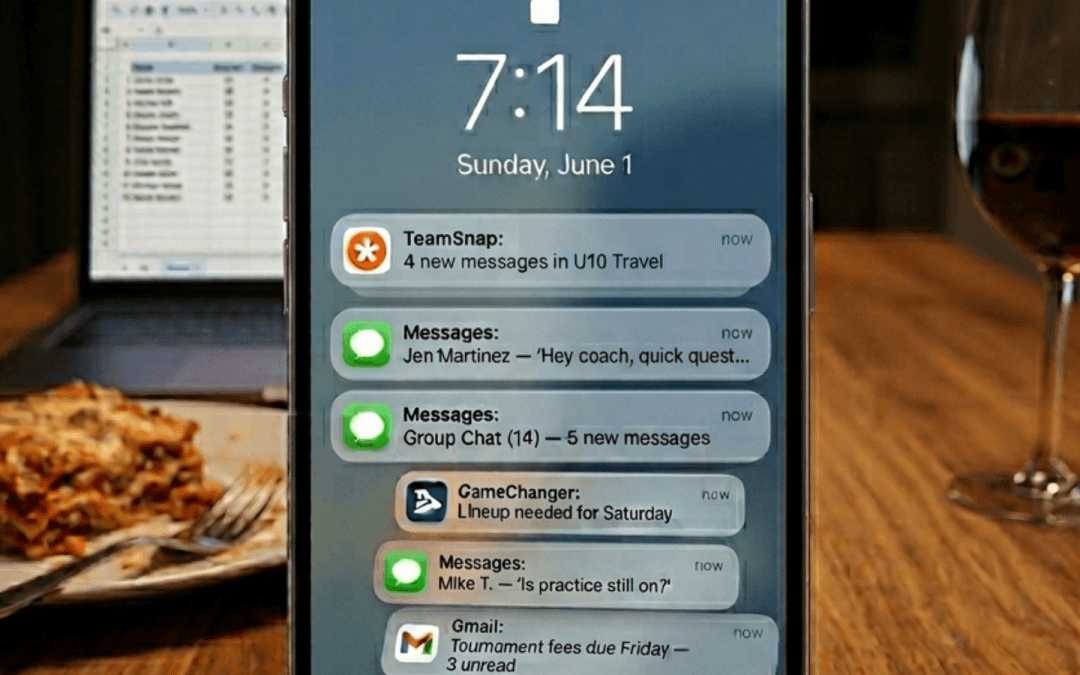
What time is practice? Ask Mom. Which field are we on? Ask Mom. Are we wearing white or blue? Ask Mom. Who’s driving Saturday? Ask Mom. Did the tournament schedule change? You already know the answer. For plenty of families, the youth sports family calendar isn’t really a calendar at all. It’s one parent who has somehow become the calendar keeper, messenger, transportation coordinator, equipment checker, reminder service and living source of truth.
Usually, nobody formally assigns this job. There’s no family meeting where everyone votes on a Director of Basketball Logistics. One parent simply starts keeping track of things, and eventually the entire system quietly defaults to that person. “Ask Mom” may be the most widely used youth-sports integration nobody ever installed.
How the Youth Sports Family Calendar becomes a person
A team can post a perfectly accurate practice schedule at 3 p.m. on Tuesday. By 3:05, someone in the family has already started translating it into everything else that needs to happen. Practice starts at 6:30. Great. But when do we leave?
Does Dad get home from work in time to drive? Does someone need to pick up a sibling first? Is there enough time to eat before practice? Did the player wash the uniform? Is Tuesday the night Grandma normally comes over? Does the carpool know practice moved to Court 3? The team calendar contains an event. The family still needs a plan.
Asthe Invisible Scheduleseries has explored, every practice, game and tournament creates a chain of family decisions. The official schedule provides the basic information, but someone still has to connect those details to transportation, work, siblings, meals, equipment and communication before everybody knows what to do.
Over time, the person connecting those dots becomes more than the person who checks the schedule. They become the schedule.
Nobody decided Mom was the Help Desk
Silent defaulting happens gradually, which makes it easy to miss. Maybe Mom registered the child for the team, so the emails went to her address first. Then she downloaded the team app. She added the games to the family calendar and noticed a practice change and texted everyone. She remembered the tournament address. Then she figured out which parent was driving.
Eventually, everybody develops a very efficient system. They ask Mom. A typical Saturday morning might sound something like this:
“What time do we have to leave?”
“Where’s the game?”
“Are we bringing chairs?”
“Is Jake’s dad driving home?”
“Do I need both jerseys?”
“Are we stopping for lunch?”
“What time will we be back?”
None of those questions is particularly difficult. Put them together across practices, games, tournaments and multiple children, though, and one parent has effectively become a family scheduling system with shoes on. The funny part is how normal this can feel. The less funny part is what happens when the system depends completely on one person.
Shared Access isn’t always Shared Responsibility
Many sports families already have shared technology. Both parents may have the team app. Everyone might have access to the family calendar. The schedule could be sitting six inches away on three different phones. Yet the questions keep coming.
“Did practice change?”
“Ask Mom.”
“What time do we leave?”
“Ask Mom.”
“Which gym?”
“Ask Mom.”
Access to the same information doesn’t automatically mean responsibility is shared. One person can still be the parent checking updates, interpreting them, spotting conflicts and turning scattered information into an actual plan.
This is where silent defaulting gets tricky. From the outside, the family looks organized. Everyone arrives where they’re supposed to be. Practices get made. Uniforms appear. Carpools happen.
Behind the scenes, however, one person may be doing the mental math that keeps the entire operation moving. Good systems distribute information. Better systems distribute understanding.
The Source of Truth shouldn’t need a First Name
Teams often talk about having a “source of truth.” Maybe it’s the team website, or it’s an app. Maybe it’s a shared calendar where the latest schedule is supposed to live. Inside many families, however, the real source of truth has a first name.
The calendar says 7 p.m., but ask Mom what time you actually need to leave. The app lists Field 6, but ask Mom where everybody is meeting. Tournament schedule shows three possible Sunday games, but ask Mom what happens if the team wins Saturday night.
Mom isn’t simply repeating information from the schedule. She’s supplying the context required to act on it. Of course, this role doesn’t always belong to Mom. Plenty of dads, grandparents and other caregivers run the Invisible Schedule. “Ask Mom” works as shorthand because it captures a familiar youth-sports pattern: one parent becomes the person everybody depends on to know what’s happening.
The bigger issue isn’t which parent gets the job. The issue is how easily one person becomes the system.
What happens when the Calendar Keeper is unavailable?
Silent defaulting becomes easiest to see when the usual calendar keeper suddenly can’t do the job. Maybe Mom has a work meeting during practice, or maybe she’s traveling. Maybe she’s taking another child somewhere else, or maybe she simply hasn’t checked her phone for 45 minutes.
Suddenly, basic questions feel surprisingly difficult. Which entrance do we use? Who has the address? Did the coach change arrival time? Who’s picking up? Was there something the player needed to bring?
A family shouldn’t need to reconstruct its entire operating system because one parent went to Target without their phone. A genuinely shared youth sports family calendar should allow another adult to step in without starting an archaeological dig through texts, emails, screenshots and team-app notifications.
Everybody doesn’t need to do every scheduling task. Families divide responsibilities all the time, and there’s nothing wrong with one person taking the lead. Problems begin when “taking the lead” quietly becomes “being the only person who understands the plan.”
A better Youth Sports Family Calendar shares the Plan
So what would better look like? For families, the first step is noticing the default. Pay attention to where questions go. If every scheduling conversation ends with one parent answering, checking or confirming something, the workload probably isn’t as shared as the calendar itself appears to be.
A simple family-ready approach can help:
Put the current event information somewhere everyone can access it. Avoid keeping the useful version of the plan buried in one person’s texts or memory.
Include the decisions that make the event actionable. Leave time, transportation and pickup plans can matter just as much as tipoff time.
Make changes visible to everyone affected. One parent shouldn’t have to manually relay every update from the team to the rest of the household.
Let the calendar keeper stop being the automatic help desk. Family members who can check the shared plan themselves should be able to find answers without routing every question through one person.
Coaches can help, too. Clear, complete and timely communication reduces the amount of translation families have to do after an event is posted. A small scheduling change for a team can create several new decisions at home. Giving families complete information earlier makes it easier for responsibility to spread instead of funneling toward the same parent every time.
From “Ask Mom” to a Family-Ready Plan
There will probably always be one parent who remembers more dates than everybody else. Some people are naturally better at calendars. Some actually enjoy organizing the chaos. Even so, knowing the most shouldn’t mean carrying the whole system.
The goal isn’t to make every family member perform identical scheduling work. The goal is to create a plan other people can understand and act on without constantly returning to one human source of truth. Because once the family plan exists only in one parent’s head, the shared calendar isn’t very shared anymore.
So the next time somebody asks what time they need to leave for practice, listen carefully to the answer. If it’s always “ask Mom,” the system is telling you something.
Sammi is ready to make the Invisible Schedule more visible
Sammi is being built for the sports parent who’s tired of checking team apps, copying games into the family calendar, catching schedule changes and reminding everyone where they need to be. It connects youth sports schedules with the family calendar you already use, watches for changes and helps keep everyone informed without adding another calendar to manage.
Sammi launches in winter 2026. Parents and coaches can join the early-access list now at HeySammi.com to save a spot and learn more about what’s coming.
Practice is on the calendar for 6 p.m. Thursday. The location is correct and the team app has been updated. From a youth sports schedule planning standpoint, everything may appear finished. Meanwhile, a parent is still figuring out whether to leave work early, who can pick up a sibling, when the player needs to eat, which parent is driving, and whether everyone involved has the same plan. The event has been scheduled, but the family may not be ready for it.
It’s important to remember, youth sports schedules don’t exist in isolation. Every practice, game, tournament, team meeting, and last-minute change becomes part of a much larger family calendar. Publishing the event provides important information. Preparing the family to act on that information takes the process one step further.
There’s a useful name for that better finish line: Family-Ready.
What does Family-Ready mean in Youth Sports?
A sports event is Family-Ready when the information has moved beyond the team schedule and become a plan the family can actually follow. Consider a Saturday game scheduled for 10 a.m. The team calendar might include the game time, field, opponent, and uniform.
All of those details matter, but the family still needs answers to several practical questions.
What time does the player need to arrive?
What time does the family need to leave home?
Who’s driving to the game?
Who’s bringing the player home?
Does another child have an activity at the same time?
Does anyone need to change a work schedule?
What equipment, food, uniform pieces, or other items need to go?
Who else needs to know the plan?
Until those questions have been resolved, the event can be perfectly scheduled while the family remains unprepared.
Family-Ready gives parents and coaches a more useful way to think about the job of scheduling. The question is no longer only, “Was it posted?” Another question belongs beside it: “Can the family act on it?”
Youth Sports Schedule Planning doesn’t end when you hit “Publish”
Team calendars have gotten much better at distributing information. Apps can send notifications, update locations, sync calendars, and alert dozens of families within seconds. Those tools solve an important part of the problem. Still, information arriving on a phone doesn’t automatically turn into a workable Thursday evening.
Suppose practice starts at 5:30 p.m. A parent working until 4:45 may need to leave immediately, pick up the player, get home for equipment, find something for dinner, and arrange for someone else to collect a younger sibling at 6. Another parent may need to handle pickup after practice. The team calendar contains one event. The family plan contains the chain of decisions required to make that event happen.
We’ve called this hidden layer The Invisible Schedule throughout this series. It’s the schedule behind the schedule, built from all the transportation, timing, work, meals, siblings, equipment, communication, and conflicts surrounding the official team calendar. Family-Ready describes what should happen next.
From the Invisible Schedule to the Family-Ready standard
Recognizing the Invisible Schedule helps explain why youth sports coordination can feel like so much more work than a calendar full of practices and games would suggest. Family-Ready gives us a standard for improving the process.
An event is moving toward Family-Ready when:
The information is current. Families shouldn’t have to compare a text message, old email, team app, and group chat to determine which version is correct.
The family calendar reflects the event. Knowing something exists on the team calendar doesn’t guarantee it has reached everyone who needs to plan around it.
Timing is clear. A 6 p.m. game may require a 5:15 arrival and a 4:40 departure from home. Families often need the full timing picture, not just the start time.
Potential conflicts have surfaced. Work, school events, sibling activities, appointments, and transportation overlap quickly in busy households.
Transportation has been assigned or identified as a decision. Someone needs to know who’s taking the player and who’s bringing the player home.
The right people know the plan. Parents, players, grandparents, carpool partners, or other caregivers may all play a role.
Family-Ready doesn’t require coaches to organize every family’s private life. Coaches shouldn’t have to decide who’s making dinner or which parent handles pickup. Instead, the standard recognizes a simple reality: posting information and preparing people to use it are two different stages of scheduling.
What Family-Ready means for Coaches
For coaches, the Family-Ready idea starts with awareness rather than additional administrative work. A coach may see “Practice moved from 6 to 5:30” as one quick calendar edit. A family may experience the same change as a new work departure time, different school pickup plan, rushed dinner, lost carpool, and a text to a grandparent asking for help.
Good communication can reduce some of that friction. Coaches and team managers can help by providing complete information as early as possible, clearly identifying changes, and considering which details families need to make decisions. Arrival times, locations, equipment needs, likely end times, and schedule uncertainty can all matter.
Most important, coaches can stop treating publication as the only measure of successful communication. A schedule can be accurate from the team’s perspective and incomplete from the family’s perspective. Recognizing the difference is a small shift with a potentially big impact.
What Family-Ready means for Parents
Parents may recognize the other side of this process immediately. A notification arrives. You open it, check the time, compare calendars, send two texts, ask who can drive, move dinner earlier, tell your spouse, remind your child, and make a mental note to leave work 15 minutes sooner.
Then you close the team app. The app interaction took 20 seconds. The coordination around it may continue for the rest of the day.
Family-Ready provides language for what parents are already doing. More importantly, it changes the assumption that receiving the event information means the scheduling job has been completed. Parents aren’t simply consuming a schedule. They’re converting team information into a family plan.
A better standard for Youth Sports Schedule Planning
Youth sports will always involve some uncertainty. Fields close. Weather changes. Tournament brackets shift. Coaches get new information. Games run late. Nobody can eliminate every disruption, and families will always need to make some decisions themselves. Still, we can choose a better standard for what “done” means.
The old finish line looks something like this:
The event is posted. Families have the information.
The Family-Ready finish line goes further:
The event is current, the important details are clear, and the family has what it needs to turn the schedule into a workable plan.
This standard doesn’t require perfect predictability. It asks us to measure scheduling success by something more meaningful than whether an event appeared in an app.
Sammi is ready to make the Invisible Schedule more visible
Sammi is being built for the sports parent who’s tired of checking team apps, copying games into the family calendar, catching schedule changes and reminding everyone where they need to be. It connects youth sports schedules with the family calendar you already use, watches for changes and helps keep everyone informed without adding another calendar to manage.
Sammi launches in winter 2026. Parents and coaches can join the early-access list now at HeySammi.com to save a spot and learn more about what’s coming.
It’s 2:45 p.m., and a coach sends an update: practice has moved from 6 p.m. to 5:30. On the team calendar, it’s a simple edit. For the family receiving it, youth sports schedule changes can trigger a much longer list of adjustments involving work, dinner, sibling pickup, transportation and carpools.
Most coaches aren’t trying to make life harder for families. Fields become unavailable. Weather changes. Gym space gets shuffled. Another team runs long. Sometimes a practice simply has to move. Still, a 30-minute change on the team schedule can create an hour of coordination somewhere else.
Understanding that ripple effect can help coaches communicate schedule changes in a way that gives families a better chance to make everything work.
The team calendar only shows the first change
From a coach’s perspective, changing practice from 6 to 5:30 may feel straightforward. Update the app, send a notification and move on to preparing for practice. Meanwhile, a parent may have to figure out:
Can I leave work 30 minutes earlier?
Who can pick up my other child?
Does the carpool still work?
Does dinner need to move?
Can someone else drive?
Does my spouse know the plan changed?
Does my child need to bring gear to school instead of coming home first?
Will we make it across town in time?
One schedule change can become six or seven family decisions within minutes.
This is part of the Invisible Schedule, the family plan that exists behind the official team schedule. The team calendar tells families what is happening. Someone at home still has to turn that information into a plan everyone can actually follow.
Why youth sports schedule changes create a ripple effect
Youth sports families rarely organize one activity in isolation. Practice sits alongside jobs, school, homework, meals, sibling activities, appointments and everything else already packed into the day.
Consider a Tuesday practice originally scheduled for 6 p.m. A parent may have planned to finish work at 4:30, pick up two kids, start dinner at 5, meet another family for a 5:25 carpool and take a younger sibling to another activity at 6:15.
Move practice to 5:30, and the entire sequence changes. The parent might now need to leave work early. Dinner becomes something eaten in the car. The original carpool driver may not be available. A sibling may need another ride. Someone else in the family has to be contacted and brought into the new plan.
None of those consequences appear on the team calendar. They’re still real.
Coaches don’t need to avoid changes
A better communication standard doesn’t mean coaches can never adjust a schedule. Youth sports are too unpredictable for that.
Weather happens. Facilities change. Tournament times move. Opponents cancel. School events create conflicts. Coaches often have limited control over many of these situations. The goal is simply to recognize what happens after the change.
When possible, coaches can give families more time, clearer information and fewer unanswered questions. Those small communication habits can prevent a simple update from becoming a frantic chain of texts five minutes before everyone needs to leave.
Earlier communication gives families options
For many families, the biggest difference between a manageable schedule change and a stressful one is time. A parent who learns Monday evening that Tuesday practice moved 30 minutes earlier may be able to rearrange work, contact another parent or adjust a carpool. A parent who learns at 3:45 Tuesday afternoon has far fewer choices.
Coaches won’t always have advance notice themselves. Still, once a change is known, communicating it quickly matters. Waiting until every detail is perfect can sometimes create more problems than sending families a useful early warning. For example:
“Tuesday practice may move from 6 to 5:30 because of gym availability. I’ll confirm by noon tomorrow.”
Families now know there’s a possibility they may need to adjust. Later, the coach can send the final update. That extra notice lets parents start solving the Invisible Schedule before the clock starts working against them.
Clear youth sports schedule changes answer the obvious questions
Timing matters, but clarity matters too. A message such as “Practice changed tonight” makes every parent go looking for details. They have to open the app, find the event and compare the new information with what they remember.
A stronger message puts the important information in one place. For example:
“Tonight’s practice has moved from 6 to 5:30 p.m. at the same gym. Practice will still end at 7 p.m. Please arrive by 5:20. No other details have changed.”
Now parents immediately know:
What changed
What stayed the same
Where they need to be
When they need to arrive
When the event ends
A few extra words can eliminate a surprising amount of family detective work.
The end time matters too
Start times usually get most of the attention, but families plan around pickup times too. If practice starts 30 minutes earlier, does it also end 30 minutes earlier? Does the coach plan to keep the original ending time? Will practice run longer because the team lost court time earlier in the week?
Parents need to know because another schedule begins when practice ends. Someone may be picking up a sibling, getting back to work, attending another activity or meeting another parent to exchange kids. Including both the new start time and expected end time makes the update much more useful.
A simple communication standard for coaches
Coaches don’t need a complicated new system. A consistent approach to schedule changes can make communication much easier for everyone.
When a practice, game or team event changes, try to communicate these five things:
What changed? Give the old and new time, location or date so parents don’t have to compare calendars.
What stayed the same? If the location, pickup time or other details haven’t changed, say so.
When did you learn about it? When appropriate, brief context can help families understand why the notice came when it did.
What does the family need to do? Include arrival time, transportation expectations, equipment needs or anything else requiring action.
Could anything change again? If the update is still tentative, make that clear and tell families when they can expect confirmation.
This approach doesn’t eliminate schedule changes. It makes them easier to act on.
Think beyond “the update was posted”
Youth sports scheduling often treats posting information as the finish line. The time changed. The calendar was updated. The notification went out. Communication complete.
Families experience a different finish line. They still need to know who’s driving, when to leave, what happens to dinner, whether another child needs a ride and who else needs to hear about the change. A team schedule contains the event. A family still needs a workable plan around it.
Coaches don’t need to take responsibility for arranging every family’s logistics. However, understanding those logistics can change how schedule information is communicated. A little more notice and a little more clarity give parents something valuable: room to make a plan.
Better communication helps coaches too
Family-friendly communication isn’t only helpful for parents. Clearer updates can also mean fewer individual texts asking for clarification, fewer players arriving late because families misunderstood the new time and fewer last-minute transportation problems.
Everyone gets a more reliable version of the plan. Coaches can spend less time answering, “Wait, what time is practice now?” while families spend less time reconstructing an event from multiple notifications and messages.
Clear communication creates calmer coordination on both sides.
A schedule change is a family change
Coaches see one team, but every player comes with a family schedule operating behind the scenes. Changing one practice might affect a parent’s workday, another child’s activity, a carpool, dinner and transportation across town. None of this means coaches should feel guilty when plans need to change.
It means schedule changes deserve communication that reflects their real impact. When possible, send the information early. Put the important details together. Explain what changed and what didn’t. Give families enough information to turn the team update into a workable family plan.
Coaches: treat a schedule change like the family change it actually is. Better communication won’t prevent every scheduling problem, but it can make the Invisible Schedule much easier for families to manage.
Sammi is ready to make the Invisible Schedule more visible
Sammi is being built for the sports parent who’s tired of checking team apps, copying games into the family calendar, catching schedule changes and reminding everyone where they need to be. It connects youth sports schedules with the family calendar you already use, watches for changes and helps keep everyone informed without adding another calendar to manage.
Sammi launches in winter 2026. Parents and coaches can join the early-access list now at HeySammi.com to save a spot and learn more about what’s coming.
Your phone buzzes at 4:17 p.m. Practice moved from Field 2 to Field 5. Ten minutes later, another notification reminds you that practice starts at 6. Your calendar already has the event. Your spouse can see it too. Somehow, you still need to figure out who’s driving, when your child needs to leave, what happens with dinner and whether somebody can pick up the younger sibling. Youth sports scheduling gives families more information than ever, but information alone doesn’t finish the job.
Most youth sports platforms are pretty good at telling parents what’s happening. The problem comes after the notification arrives. Someone still has to turn the team update into a plan the family can actually follow.
The youth sports scheduling problem isn’t a lack of information
Youth sports families rarely suffer from a shortage of messages. Between team apps, email, text chains, calendar alerts and coach notifications, parents can receive the same piece of information several different ways. More communication sounds like the obvious solution. In practice, however, each new message can create another small task.
A notification that says, “Practice changed to 5:30,” may require a parent to:
Update the family calendar.
Check whether the new time conflicts with work.
Find out whether another child needs a ride somewhere.
Text a spouse or grandparent.
Rearrange dinner.
Confirm who’s handling pickup.
Tell the player when to start getting ready.
Make sure the correct uniform or equipment is packed.
The team supplied one update. The family received eight new decisions.
Parents aren’t struggling because they failed to check the app often enough but because they’re doing the coordination work that begins after they check it.
1. More notifications don’t create a family plan
Notifications are useful. Parents need to know when something changes, and coaches need an efficient way to communicate those changes. Problems start when notification becomes the finish line.
Consider a message that arrives during the workday: “Tonight’s practice will start 30 minutes earlier.” The information is clear, but the logistics aren’t.
Who can leave work early enough to drive? Does the carpool still work? Can the player eat before practice? Does someone need to tell the other parent? Will the sibling now be alone at another activity?
A second reminder at 4 p.m. doesn’t answer any of those questions. It simply reminds somebody that the questions still need answers.
Good youth sports scheduling should help reduce coordination work, not produce more opportunities to remember it.
2. Another team app can become another place to check
Parents with multiple children may deal with different clubs, leagues and schools, each using its own preferred platform. One coach communicates through an app. Another sends email. A third relies heavily on group texts. Soon, keeping up starts to feel like a scavenger hunt.
Adding another app may organize one team beautifully while making the family’s overall system more complicated. A parent still has to collect information from each source and combine it into one workable household plan.
The question shouldn’t only be, “Where can we post the schedule?” A better question is, “How does this schedule become useful to the family?”
Those two questions lead to very different solutions.
3. Calendar feeds and shared calendars leave logistical work to be done
Calendar syncing is one of the most useful features sports platforms offer. Getting games and practices onto a personal or shared family calendar saves time, reduces manual entry and gives everyone a common place to see what’s coming. Still, visibility isn’t the same as coordination.
A calendar event that says “6:00 p.m. Basketball practice” doesn’t necessarily tell the family:
Leave home at 5:15.
Dad’s driving.
Mom’s picking up at 7:30.
Bring the blue practice jersey and water bottle.
Eat before leaving.
Grandma needs to pick up the younger sibling.
Tomorrow’s homework needs to get done before practice.
The event can sync perfectly while the family coordination remains completely manual. When one parent enters the details, interprets the schedule and assigns the logistics, the calendar may be shared while the mental workload remains remarkably one-sided.
Calendar sync is helpful, as are shared calendars. But neither automatically creates shared responsibility or a complete family plan.
4. Repeated reminders still leave someone responsible
Reminders work well when the problem is forgetting. Youth sports scheduling often involves a different problem: deciding. A reminder can tell a parent that Saturday’s tournament begins at 9 a.m. It can’t automatically decide when the family should leave, whether the 45-minute drive requires extra time, who’s packing snacks or how another child gets to a birthday party at 10. Someone becomes the decision-maker by default.
Usually, it’s the same person who knows where the uniform is, remembers the tournament address, catches the schedule change and tells everyone else what the new plan is. Sending that person three reminders instead of one doesn’t distribute the responsibility. It gives the same person three reminders about the responsibility they already carry.
5. “Just check the app” pushes the last step onto families
“Just check the app” makes sense from a team-management perspective. Coaches and administrators need one reliable place to post accurate information, especially when they’re responsible for dozens of families. Still, checking the app only answers the team-level question: What’s happening?
For families, another question emerges: What does this mean for us?
A 7 p.m. game might actually mean leaving at 5:35. A venue change could mean a different carpool. A Saturday tournament could alter meals, sibling plans and an entire afternoon.
Coaches don’t need to solve every family’s logistics. No reasonable parent expects them to. Youth sports systems, however, should recognize that publishing an event begins the family planning process rather than completing it.
What better youth sports scheduling could look like
A more useful standard starts by asking whether a sports event is ready for a family to act on. Instead of measuring success by whether the event was posted, synced or acknowledged, consider whether the family knows enough to execute the plan.
A family-ready event would make it easier to determine:
What’s current? The date, time and location are accurate.
When do we need to act? Arrival and leave times are clear.
Who’s responsible? Transportation is assigned or still needs a decision.
What conflicts exist? Work, school, siblings and other commitments are visible.
What does the player need? Gear and other requirements are clear.
Who needs to know? The right family members have the plan.
What happens after a change? Updates flow into the family plan instead of restarting the entire process.
This moves youth sports scheduling beyond broadcasting information and closer to helping families use it.
The goal should be fewer loose ends, not more alerts
Youth sports technology has made enormous progress in helping teams publish schedules, communicate changes and keep everyone connected. Those tools matter, and coaches shouldn’t have to become personal logistics managers for every household. The next improvement needs to address what happens after the schedule reaches the parent.
More notifications can’t assign the carpool. Another app can’t automatically resolve a sibling conflict. A calendar feed doesn’t necessarily tell someone when to leave. Repeated reminders don’t spread responsibility across the family. Everyone may be able to see the team schedule, while one parent still runs the Invisible Schedule.
Better youth sports scheduling should close that gap. Instead of asking how many ways we can remind families about an event, maybe the better question is simpler: How do we help turn the event into a plan the family can actually follow?
Sammi is ready to make the Invisible Schedule more visible
Sammi is being built for the sports parent who’s tired of checking team apps, copying games into the family calendar, catching schedule changes and reminding everyone where they need to be. It connects youth sports schedules with the family calendar you already use, watches for changes and helps keep everyone informed without adding another calendar to manage.
Sammi launches in winter 2026. Parents and coaches can join the early-access list now at HeySammi.com to save a spot and learn more about what’s coming.
It’s 4:47 p.m. Practice starts at 6, but one parent is already calculating when to leave, who needs a ride, whether there’s time to eat, what still needs to be packed and how pickup will work later. This is the invisible schedule, the family plan running behind every practice, game and tournament on the team calendar.
Every team has a schedule. Every sports family runs another one behind it. The official schedule tells you the basics: what’s happening, where it’s happening and when it starts. Useful information, certainly.
The invisible schedule is the family plan one parent builds around the official team schedule so everyone can show up. It includes all the decisions that usually don’t appear in the team app or calendar:
When everyone needs to leave
Who’s driving and picking up
What the player needs to bring
When dinner needs to happen
How siblings’ activities fit into the evening
Whether work schedules need to change
Who needs to know the plan
What needs to change if the team schedule changes
Individually, none of these decisions seems especially complicated. Put them together across practices, games, tournaments and multiple kids, though, and they become a second schedule. Most families just don’t call it one.
The team schedule is only the starting point
Consider a typical Tuesday practice. The team calendar says:
Practice
6 p.m.
Field 3
For the coach, those details define the event. For the family, they begin a chain of decisions.
If practice starts at 6, maybe the player needs to arrive at 5:45. If the drive takes 25 minutes, the car needs to leave by 5:20. Before then, someone has to eat, change clothes, find a water bottle and remember the equipment sitting in the garage. Meanwhile, a sibling may need to be picked up somewhere else at 6:30.
Suddenly, a simple three-line calendar entry has become transportation, timing, food, gear and family coordination. The team schedule contains the event, but the family still has to build the plan.
One schedule change can alter an entire evening
The invisible schedule becomes even easier to see when something changes. Suppose Tuesday’s 6 p.m. practice gets moved to 5:30. On the team calendar, someone changes one number. For the family, the ripple effect can be much larger.
Now someone may need to:
Leave work earlier.
Change the carpool.
Move dinner.
Find another ride for a sibling.
Tell a spouse or caregiver about the new plan.
Get the player ready sooner.
Update pickup arrangements.
A 30-minute change can affect several hours of family logistics. Coaches aren’t trying to create chaos when schedules change. Weather happens. Fields become unavailable. Tournament times move. Opponents cancel.
Still, seeing the family impact matters. Earlier, clearer communication gives parents more time to rebuild the plan behind the event.
Why one parent becomes the family scheduling system
In many sports families, one person gradually becomes the calendar keeper. There’s rarely an official conversation about it. One parent simply starts keeping track of the details and, before long, everyone relies on that person for answers.
“What time do we need to leave?”
“Who’s picking her up?”
“Are we free Saturday?”
“Where’s the game again?”
The information may technically be available to everyone. Yet one parent still knows how all the pieces fit together. That parent becomes the family’s scheduler, messenger and source of truth.
Meanwhile, much of the work stays invisible because the final result looks simple. The player arrives at practice with the uniform packed. A ride shows up. Everyone gets where they’re supposed to go. Behind that smooth arrival was a series of small decisions somebody had to make.
Shared calendar doesn’t always mean shared planning
Technology has made youth sports information easier to distribute. Team apps, calendar feeds, text alerts and notifications can put the same schedule in everyone’s hands. However, receiving the same information isn’t the same as sharing the work required to act on it.
A calendar notification can tell four family members that Saturday’s game starts at 9 a.m. It doesn’t necessarily decide:
Who’s driving
When everyone needs to wake up
What time the family needs to leave
Whether another child has a conflicting event
What the player needs to pack
Who handles pickup afterward
Those decisions still have to happen somewhere. Usually, they happen in one parent’s head.
3 questions that Make the Invisible Schedule visible
Take the next youth sports event on your family calendar and look beyond the start time.
Ask three questions.
What needs to happen before we leave?
Think about meals, homework, uniforms, equipment, travel time and anything else competing for attention.
Who needs to do what?
Consider driving, pickup, carpools, siblings, work schedules and anyone else who needs to be part of the plan.
What happens if the event changes?
Move the start time by an hour. Change the location. Imagine practice running late. Then count how many other decisions need to change. That’s when the schedule behind the schedule becomes much easier to see.
Why the Invisible Schedule matters
Parents can easily look at this constant coordination and decide they simply need to be more organized. Maybe another calendar would help, or more reminders would solve it. Perhaps everyone just needs to check the team app more often.
Those tools can certainly help, but they don’t change the basic problem. Posting a sports event delivers information. A family still needs to turn that information into a workable plan.
Recognizing the invisible schedule changes the way we look at youth sports coordination. Parents can see how much planning actually happens behind each event. Coaches and team managers can better understand why a seemingly small change may have a much larger effect at home.
More importantly, it gives us a better question to ask. Instead of stopping at, “Did everyone get the schedule?” we can start asking, “Does the family have what it needs to make this event work?”
That’s a much better finish line.
Sammi is ready to make the Invisible Schedule more visible
Sammi is being built for the sports parent who’s tired of checking team apps, copying games into the family calendar, catching schedule changes and reminding everyone where they need to be. It connects youth sports schedules with the family calendar you already use, watches for changes and helps keep everyone informed without adding another calendar to manage.
Sammi launches in winter 2026. Parents and coaches can join the early-access list now at HeySammi.com to save a spot and learn more about what’s coming.
Youth sports families know the feeling. Soccer is in TeamSnap. Basketball is in GameChanger. Another coach sends updates through SportsEngine. A tournament schedule changes late Friday night, a field gets moved Saturday morning and suddenly the whole family calendar is wrong.
Sammi is built for that exact kind of sports-parent scramble. Based on the preview from heysammi.com, Sammi is a sports family scheduling assistant designed to pull information from multiple team apps, make sense of the chaos and keep one family calendar updated.
For parents juggling practices, games, tournaments, carpools and weather changes, this could become one of the most useful youth sports tools heading into 2026.
What Is Sammi?
Sammi is a scheduling tool for busy sports parents and coaches. The main pitch is simple: no new app, no new calendar and no more manual entry.
Instead of asking parents to copy every practice and game into Google Calendar, Outlook or iCal by hand, Sammi works with the calendar parents already use. Parents share their sports app calendar links, then Sammi monitors those schedules and updates the family calendar when things change.
The site explains it with a clean line: “Soccer’s in one app. Basketball’s in another. Sammi brings it all together.”
For families with multiple kids in multiple sports, that hits home fast.
Why Sports Parents Need a Better Calendar System
Most youth sports parents are not struggling because they are disorganized. They are struggling because the system is scattered.
A typical family might have:
TeamSnap for one child’s soccer team
GameChanger for baseball or softball
SportsEngine for hockey, volleyball or basketball
LeagueApps or Sports Connect for rec leagues
Text threads from coaches
Email updates from tournament directors
A family calendar that still needs to be updated manually
Sammi is aimed at the parent who is tired of checking five places to manage one Saturday.
The screenshots from the site focus on three common pain points: too many apps, manual entry every time and things slipping through the cracks. Those are real issues for parents, especially during tournament weekends or overlapping seasons.
How Sammi Works
Sammi’s process appears to be built around a simple three-step setup.
1. Share Your Sports App Calendar Links
Parents send Sammi the calendar feed links from the apps their teams use. The site mentions TeamSnap, GameChanger, SportsEngine and other youth sports platforms.
2. Text Sammi
Sammi asks a few quick questions about the kids, their sports and the family calendar. The site says the conversation takes about two minutes.
3. Let Sammi Sync the Calendar
Once connected, Sammi handles schedule changes, conflicts and updates. The family calendar stays synced while parents stay in the loop.
The key benefit is that parents do not have to switch calendars or download another app. Sammi works with Google Calendar, Outlook and iCal.
What Sammi Does for Busy Sports Families
The most parent-friendly part of Sammi is that it focuses on the small details that create the most stress.
1. Morning Briefs
Sammi sends a daily text with the plan for the day. The example on the site includes weather, practice times, game locations, drive times, what to pack and when to leave.
That matters because youth sports mornings usually fall apart over small things. Cleats are missing. Water bottles are empty. A game is farther away than expected. A field changed overnight.
One clear text can save a lot of sideline stress.
2. Automatic Schedule Changes
Sammi monitors updates from connected sports apps. If a coach moves practice from one field to another or changes the time, Sammi catches the update and pushes it to the family calendar.
That feature could be especially useful for tournament weekends when schedules shift after pool play, weather delays or bracket changes.
3. Conflict Spotting
Sammi also flags conflicts. The site gives an example of two games at the same time in different towns, then suggests a possible fix such as texting another family about a ride.
For parents managing multiple kids, this is a major selling point. It is one thing to know there is a conflict. It is another to catch it early enough to solve it.
4. Calendar Syncing
Sammi syncs schedules into the calendar parents already use. That includes Google Calendar, Outlook and iCal.
This is important because many families already have a shared calendar system. They do not need another place to check. They need the existing calendar to stay accurate.
Which Sports Apps Does Sammi Support?
According to the screenshots, Sammi supports several major youth sports platforms, including:
TeamSnap
GameChanger
SportsEngine
LeagueApps
Sports Connect
Playmetrics
The FAQ says more apps are being added every month. If a family’s team app is not supported yet, parents can add it to the waitlist form. Sammi says it prioritizes new integrations based on demand, with most apps added within a few weeks of being requested.
When Does Sammi Launch?
Sammi is listed as launching in summer 2026.
The site says waitlist members will get early access before the public launch. Founding waitlist members also lock in special pricing for life.
Can Coaches Use Sammi Too?
Yes. The site includes a coach option on the waitlist form and has a line that says, “Are you a coach? Hey Sammi works for you too.”
For coaches, the value could be different but still useful. A coach managing team calendars, practice changes, game updates and parent communication could use Sammi to reduce the number of repeated questions.
Still, the strongest fit appears to be sports parents managing multiple kids, multiple teams and multiple calendars.
Why Sammi Could Help Youth Basketball Families
Basketball families often deal with packed weekends, late schedule updates and tournament changes. One child might have a Saturday morning rec game while another has a travel tournament across town. Add in practices, private training, school events and family plans, and the calendar gets crowded quickly.
Sammi could help basketball parents by:
Keeping tournament schedules synced
Catching court or time changes
Sending morning reminders with game times and locations
Flagging conflicts between siblings’ games
Helping families plan rides and carpools earlier
For TeachHoops parents, this is not just about convenience. Better organization can help players arrive calmer, earlier and more prepared. That helps coaches too.
Sammi Looks Like a Smart Tool for Sports Parents
Sammi is not trying to replace TeamSnap, GameChanger, SportsEngine or a family calendar. It is trying to connect them.
That is the part parents will appreciate. Most families do not need another app to check. They need fewer tabs, fewer texts and fewer last-minute surprises.
If Sammi delivers on the features shown in the preview, it could become a helpful calendar assistant for families managing youth basketball, soccer, baseball, softball, hockey, volleyball and more.
For now, parents can join the waitlist ahead of the summer 2026 launch. For families already juggling three kids, two sports each and one crowded calendar, Sammi may be worth watching.